
PlaySabi by SkillConnect
Make every celebration unforgettable with PlaySabi
Live games for weddings, birthdays and corporate events. The MC/Host runs the game, the big screen shows the questions, and guests play on their own phones. No guest account and no app.
PlaySabi is in a pilot. MCs and Hosts sign in with a SkillConnect account to create a game.
Who it is for
Built for the people who bring the room together
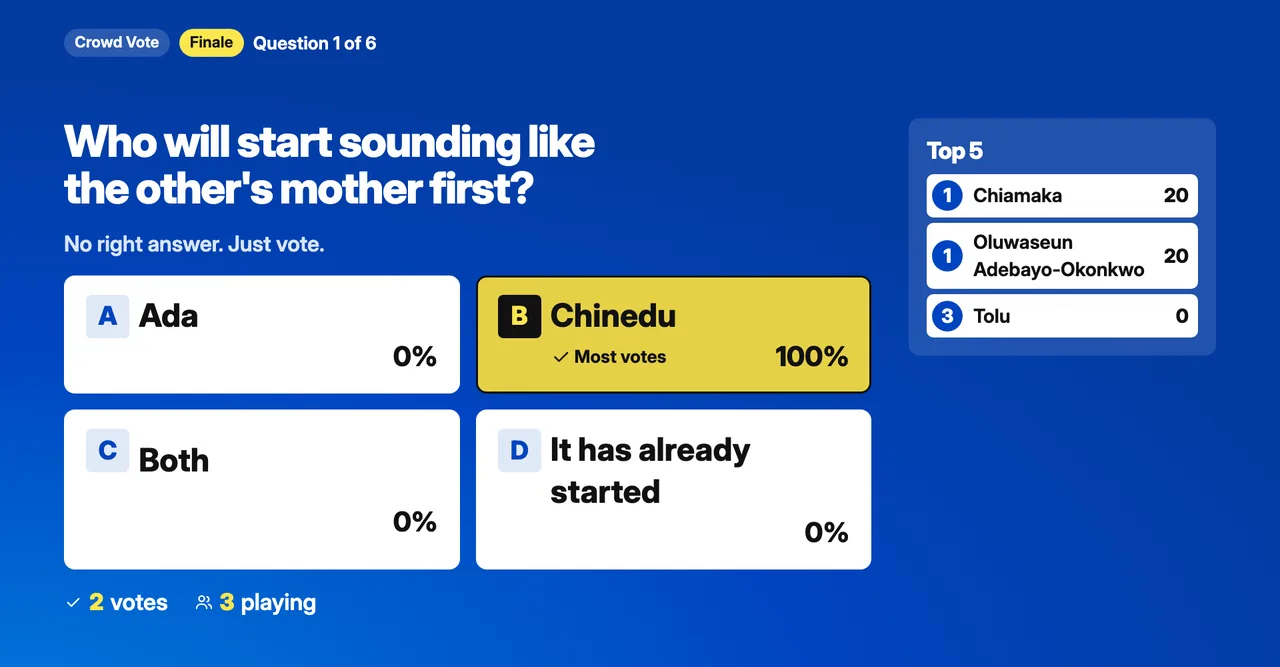
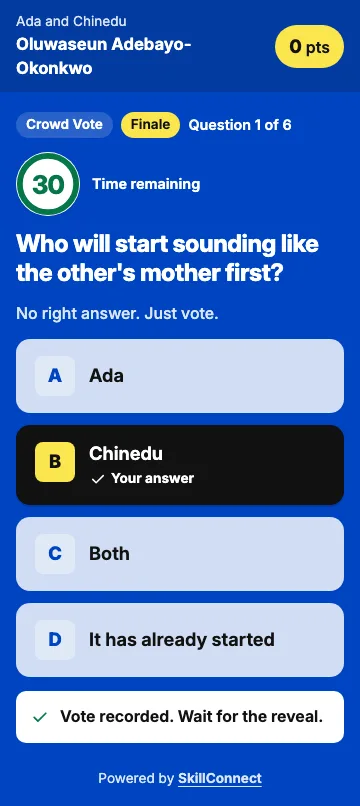
PlaySabi turns the microphone moment into a game. Questions, votes and scores appear on the big screen while every guest answers from their own phone.
For MCs and Hosts
Run live games from your phone while the big screen shows the questions, the countdown and the winners. You decide when each round opens, closes and reveals.
For event organisers
Couples, celebrants and planners can ask their MC/Host to use PlaySabi. Guests play on their own phones with no app and no account.
How it works
From setup to winners in five stages
Create your event
The MC/Host picks the event type, date and game length. The guest link and QR code are ready straight away.
Prepare your questions
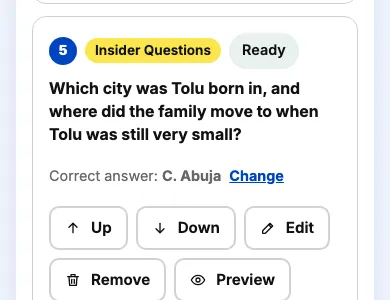
Start from suggested questions for your event, then reword, reorder, remove or add your own.
Collect private answers
When a question needs the couple or celebrant, PlaySabi prepares their questionnaire. You review it, then send a private link.
Invite guests and play
Open the lobby, guests scan the QR code and the MC/Host runs each round from their phone while the big screen follows.
Celebrate and review
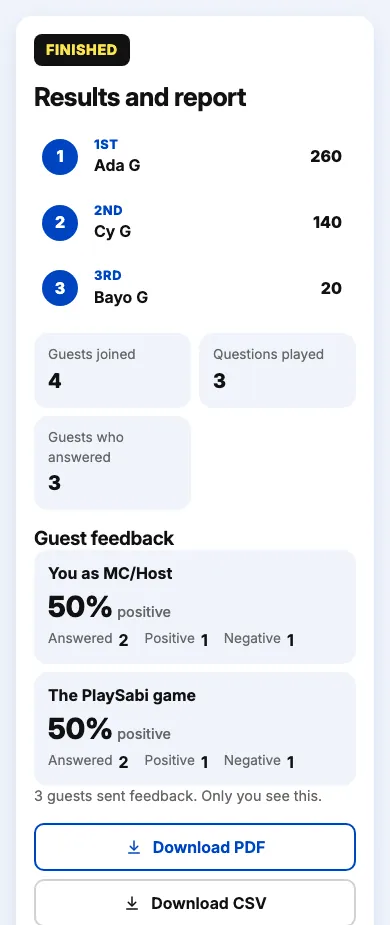
Crown the winners, read guest feedback and download the PDF or CSV report.
The games
Games for every part of the night
Mix quiz questions with a single correct answer, votes where the room decides, and photo games.
Secret Answers
The couple or celebrant answered in advance. Guests guess what they said.
Crowd Vote
No right answer. Everyone votes and the big screen shows how the room voted.
Read the Room
Guests pick what they think most of the hall will pick.
Couple Split
Will the couple's answers match? Guests predict, then both answers are revealed.
Guess Who?
Show a blurred photo and guests guess who it is. The clear photo appears at the reveal.
Guess the Photo
Ask a question about a blurred photo, such as where it was taken. Choose Light, Medium or Strong blur.
Confession Box
Guests guess who wrote a confession. Both partners approve every confession first.
Question packs for your event
Weddings
Questions the couple answered before the day, crowd votes, and a finale called the Ultimate Couple Challenge. Cheeky questions are only used when both partners agree.
Birthdays
Questions about the celebrant, with options they picked, and a finale called Do You Really Know Me?
Corporate events
Team questions and crowd votes for end of year parties and staff days, with a staff award finale the room votes on.
Also for anniversaries, family celebrations, other hosted events. The MC/Host picks the pack that fits best: the birthday pack for one person being celebrated, the wedding pack for a couple.
Prepare
Questions ready in minutes, and yours to change
- Suggested questions for weddings, birthdays and corporate events, built into a 10, 20 or 30 minute playlist with a finale.
- Reword, reorder, swap or remove any question, and add your own multiple choice questions.
- Each quiz question has exactly one correct answer, and you can check it before the game starts.
- Choose 15 to 30 seconds to answer, and Family or Cheeky questions where it suits the event.
Private answers
The couple or celebrant answer before the day
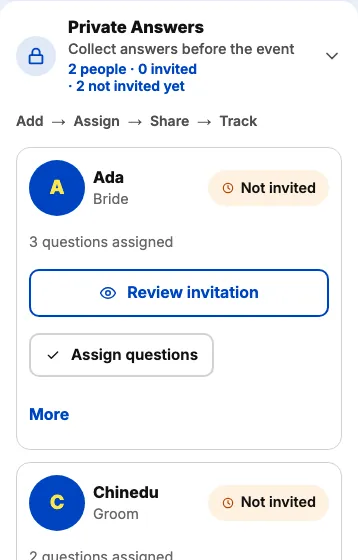
- Wedding questions are prepared for the Bride and Groom, birthday questions for the celebrant. Add anyone else with your own role, such as a manager or best friend.
- Nothing is sent automatically. Review each invitation, then share the private link on WhatsApp or copy it.
- Know the answer already? Enter it yourself instead of sending a link.
- Answers stay hidden from guests and the big screen until you reveal them. Once submitted, an answer is locked.
On the day
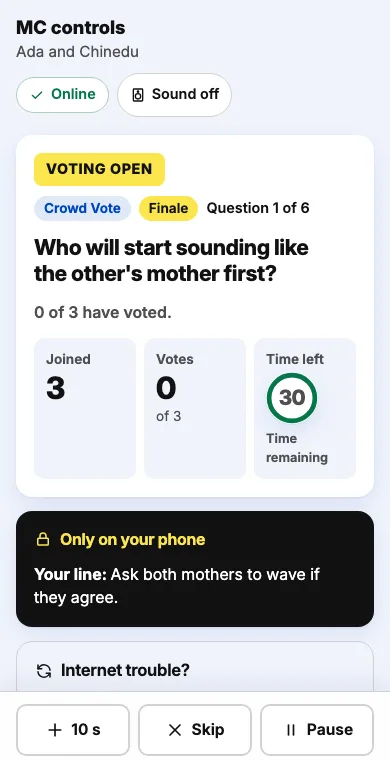
Run the room from your phone
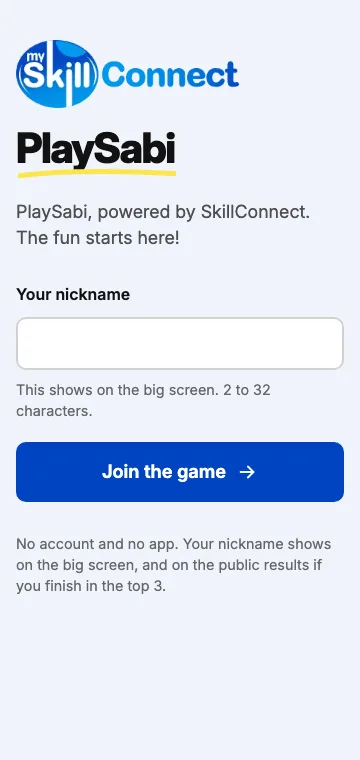
- Guests join with a QR code or link and type a nickname.
- Open and close voting, add 10 seconds, pause, skip a question or undo the last points.
- Play in teams, such as tables or the Bride's side and the Groom's side.
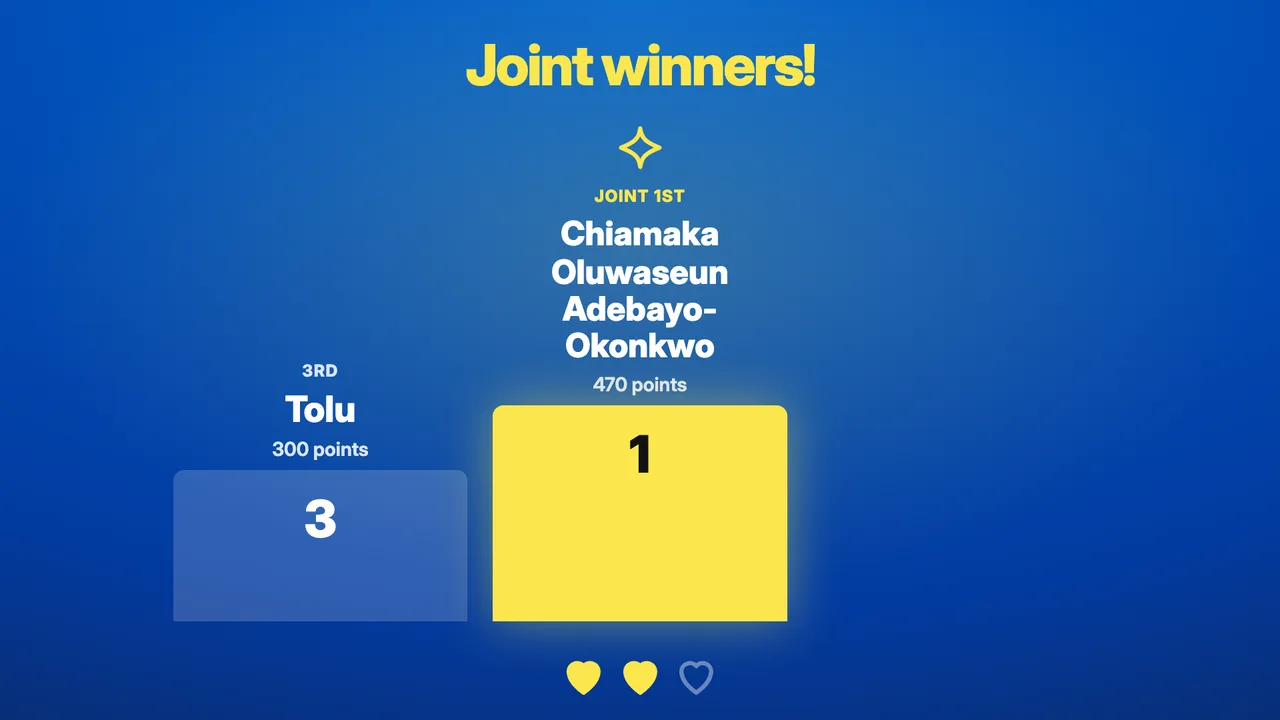
- The big screen shows the countdown, the reveal and the top five after each question.
- Show your Hosting Brand, with your name, photo and links, while guests wait and on the results page.
- If the venue internet drops, Manual Mode lets you keep scoring on your phone.
Big screen and phones
A projector for the room, a phone for every guest
Open the big screen link on a projector or TV browser. Guests play on their own phones. Both follow the MC/Host through every round.

After the game
Winners, feedback and reports
- Winners celebrated on the big screen, including joint places.
- Guests rate the game and the MC/Host separately. Only the MC/Host sees the feedback.
- Download a PDF or CSV report with the winners, scores and feedback totals.
- Reports stay available to download for about 13 months after the game.
For event organisers
Why organisers will love it
- Guests join from a QR code or a link. Nothing to download and no account.
- The couple or celebrant answer their questions privately before the day, so the reveal is a real surprise.
- Family questions by default. Cheeky questions only at weddings, and only when both partners agree.
- Everyone sees the winners on the big screen, and guests can open a results page afterwards.
Invite your MC/Host to use PlaySabi
Your MC/Host creates the game and runs it on the day. Send them this page and ask them to set it up for your event.
Share on WhatsAppSend by email
The message only contains a short note and the link to this page.
Pricing
Free during the pilot
PlaySabi is free for MCs/Hosts and for guests while we run the pilot. There is nothing to pay and no card to add.
- Every game, round and finale
- Up to 150 guests at each event
- Schedule events in advance
How to start
Run your first game
Create your event
Choose the event type, the date and the game length. Your guest link and QR code are ready straight away.
Share the guest link
Put the QR code on the invitation or the big screen. Guests can join once you open the lobby on the day.
Prepare with the couple or celebrant
Review their private questions, send the link before the day, then test the big screen at the venue.
Create an eventCreate a SkillConnect account
PlaySabi is in a pilot. To try it or host an event, email support@myskillconnect.com with your event type and date.
Questions
PlaySabi questions
Who creates the game?
The MC/Host. They sign in with a SkillConnect account, create the event and run it on the day. Organisers, couples and celebrants do not need an account.
I am planning an event. How do I get PlaySabi?
Tell your MC/Host about it. Use the WhatsApp button on this page to send them the link. They create the game and send the couple or celebrant their private questions.
Do guests need an account or an app?
No. Guests scan the QR code on the big screen or open the link, type a nickname and play in their phone's browser. Nothing to download and no account.
Which events can use PlaySabi?
There are question packs for weddings, birthdays and corporate events. For anniversaries, family celebrations and other hosted events, the MC/Host picks the pack that fits best.
How do the couple or celebrant answer privately?
PlaySabi prepares a questionnaire for them with the questions only they can answer. The MC/Host reviews it and sends a private link. They answer on their phone, and the MC/Host can also enter an answer they already know.
Who sees the private answers?
Guests and the big screen never see an answer before it is revealed, including in Manual Mode. The MC/Host sees the answers they entered themselves and how many questions each person has answered.
Can I change the questions?
Yes. Reword, reorder, swap or remove any question and add your own. New questions for the couple or celebrant appear on the private link you already sent, and answers they submitted stay as they are.
What if the venue internet drops?
The MC/Host switches to Manual Mode, reads the question aloud and gives points on their phone while guests answer with a show of hands. Scores are kept on that phone and sync when the connection returns.
What do guests see at the end?
The winners on the big screen and a results page with the top three nicknames. Each guest sees their own score on the phone they played on.
How long can I download the report?
The PDF and CSV report stays available for about 13 months after the game. Each guest's result and feedback are kept for 30 days.
How many people can play?
Up to 150 guests at each event during the pilot.
Does PlaySabi cost anything?
No. PlaySabi is free during the pilot, for MCs/Hosts and for guests. There is nothing to pay on this website.
Is PlaySabi family friendly?
Every game uses Family questions by default. At weddings the MC/Host can choose a Cheeky level, which is only used when both partners agree.