
Show your work
Show your work in a profile with a portfolio.
For event vendors
SkillConnect is an app where event vendors show their work, apply to jobs and agree the work with customers.
SkillConnect does not guarantee jobs, income or customer numbers.

What you get
Show your work, find the jobs that fit and agree them clearly.
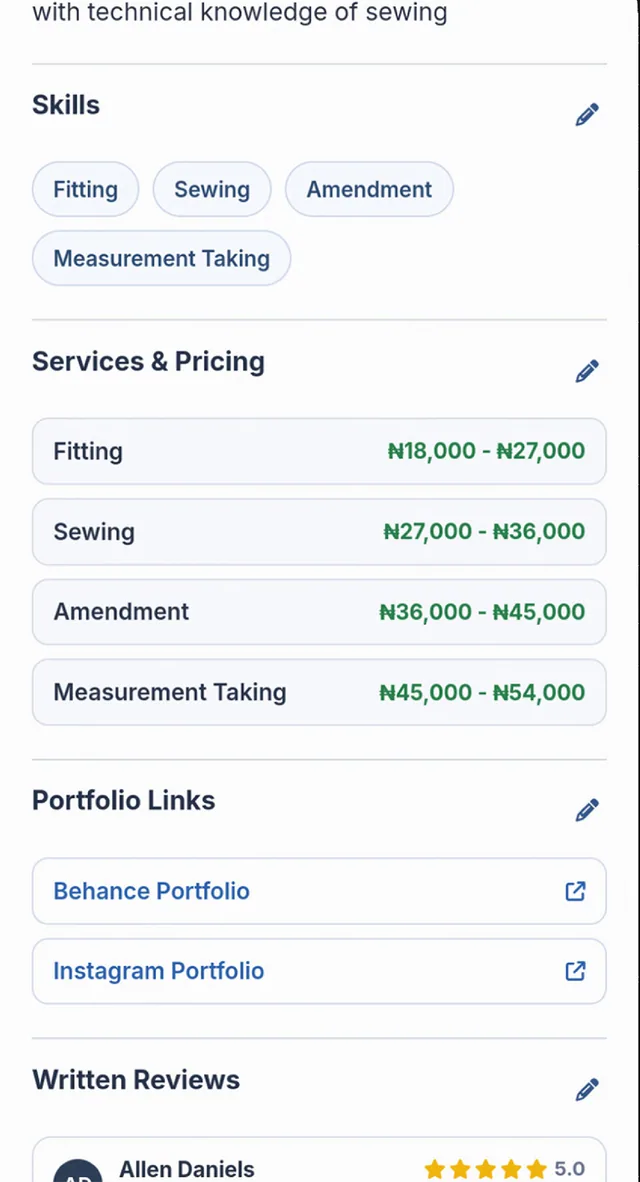
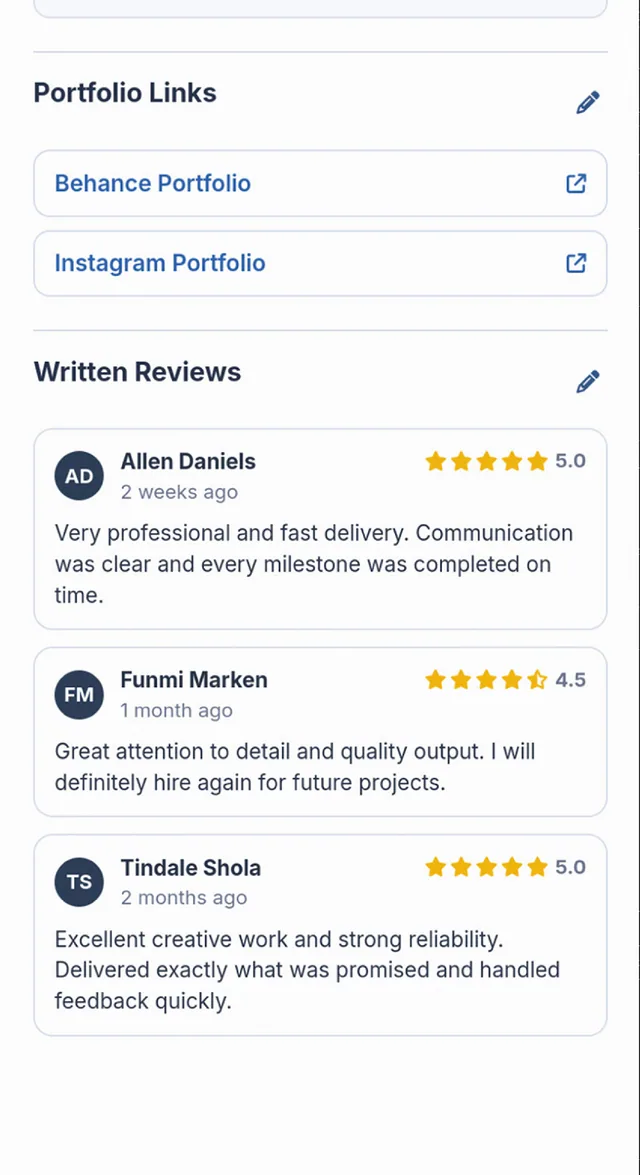
Show your work in a profile with a portfolio.
Find jobs posted by customers and apply to the ones that suit you.
Talk to the customer before you start.
Send a payment request that the customer can review.
Know the job is paid for before you start.
Earn a Verified badge by completing identity checks and your profile.
SkillConnect does not guarantee jobs, income or customer numbers.
Jobs near you
Every job in the app shows where the event takes place, so you can apply to work you can reach. Here is the kind of work customers post, with a fresh set each week.
 Photography
Traditional wedding
Lekki, Lagos
₦450,000example budget, per event
Apply: Photographer for a traditional wedding, preview. Opens the SkillConnect app download PhotographyEngagement party
Ikeja, Lagos
₦250,000example budget, per event
Apply: Photographer for an engagement party, preview. Opens the SkillConnect app download PhotographyBirthday party
Gbagada, Lagos
₦120,000example budget, per event
Apply: Photos for a child's first birthday, preview. Opens the SkillConnect app download Videography
White wedding
Victoria Island, Lagos
₦600,000example budget, per event
Apply: Videographer for a white wedding, preview. Opens the SkillConnect app download VideographyCompany event
Ikoyi, Lagos
₦350,000example budget, project budget
Apply: Highlight video for a product launch, preview. Opens the SkillConnect app download VideographyNaming ceremony
Magodo, Lagos
₦180,000example budget, per event
Apply: Short film of a naming ceremony, preview. Opens the SkillConnect app download Makeup
Traditional wedding
Ajah, Lagos
₦300,000example budget, per event
Apply: Bridal makeup and gele for a traditional wedding, preview. Opens the SkillConnect app download MakeupWhite wedding
Yaba, Lagos
₦350,000example budget, per event
Apply: Makeup for a bride and four bridesmaids, preview. Opens the SkillConnect app download MakeupTraditional wedding
Surulere, Lagos
₦80,000example budget, per event
Apply: Makeup for the mother of the bride, preview. Opens the SkillConnect app download Catering
Wedding reception
Ikorodu, Lagos
₦2,400,000example budget, project budget
Apply: Buffet for 300 wedding guests, preview. Opens the SkillConnect app download CateringBirthday party
Festac, Lagos
₦450,000example budget, per event
Apply: Small chops and drinks for a 50th birthday, preview. Opens the SkillConnect app download CateringCompany event
Victoria Island, Lagos
₦900,000example budget, project budget
Apply: Lunch for a staff end of year party, preview. Opens the SkillConnect app download Decoration
Wedding reception
Agege, Lagos
₦1,200,000example budget, project budget
Apply: Hall and stage decoration for a reception, preview. Opens the SkillConnect app download DecorationBaby shower
Maryland, Lagos
₦250,000example budget, per event
Apply: Table styling and balloons for a baby shower, preview. Opens the SkillConnect app download DecorationChurch event
Ikorodu, Lagos
₦400,000example budget, project budget
Apply: Backdrop and stage for a church anniversary, preview. Opens the SkillConnect app download DJ
DJWedding reception
Sangotedo, Lagos
₦300,000example budget, per event
Apply: DJ for a wedding reception, preview. Opens the SkillConnect app download DJBirthday party
Surulere, Lagos
₦150,000example budget, per event
Apply: DJ for a 30th birthday house party, preview. Opens the SkillConnect app download MC
MCAnniversary
Ikoyi, Lagos
₦250,000example budget, per event
Apply: MC for a 25th wedding anniversary dinner, preview. Opens the SkillConnect app download MCCompany event
Ikeja, Lagos
₦400,000example budget, per event
Apply: MC and compere for a company awards night, preview. Opens the SkillConnect app download Fashion
Traditional wedding
Yaba, Lagos
₦350,000example budget, project budget
Apply: Tailor for family aso ebi outfits, preview. Opens the SkillConnect app download FashionWhite wedding
Lekki, Lagos
₦120,000example budget, project budget
Apply: Bridal gown alterations before a white wedding, preview. Opens the SkillConnect app download FashionTraditional wedding
Ojodu, Lagos
₦400,000example budget, project budget
Apply: Agbada and cap for the groom and groomsmen, preview. Opens the SkillConnect app download Cakes
CakesWhite wedding
Lekki, Lagos
₦250,000example budget, per event
Apply: Three tier cake for a white wedding, preview. Opens the SkillConnect app download CakesBirthday party
Ikeja, Lagos
₦80,000example budget, per event
Apply: Cake and cupcakes for a child's birthday, preview. Opens the SkillConnect app download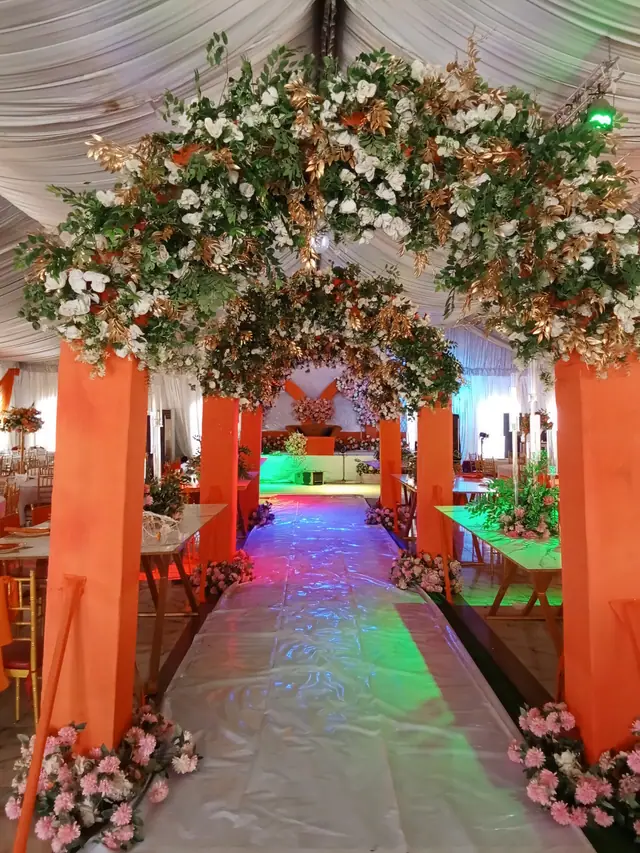 Flowers
White wedding
Victoria Island, Lagos
₦350,000example budget, project budget
Apply: Bouquets and table flowers for a wedding, preview. Opens the SkillConnect app download FlowersEngagement party
Lekki, Lagos
₦150,000example budget, per event
Apply: Flower arch for an engagement shoot, preview. Opens the SkillConnect app download Ushers
Conference
Ikeja, Lagos
₦180,000example budget, per day
Apply: Ushers for a conference of 500 guests, preview. Opens the SkillConnect app download UshersWedding reception
Oshodi, Lagos
₦120,000example budget, per event
Apply: Ushers for a wedding reception, preview. Opens the SkillConnect app download UshersCompany event
Ikoyi, Lagos
₦150,000example budget, per event
Apply: Protocol team for a book launch, preview. Opens the SkillConnect app download Planning
Two day wedding
Ajah, Lagos
₦1,200,000example budget, project budget
Apply: Planner for a traditional and white wedding, preview. Opens the SkillConnect app download PlanningWhite wedding
Gbagada, Lagos
₦400,000example budget, per day
Apply: Coordinator for the wedding day only, preview. Opens the SkillConnect app downloadWedding reception
Epe, Lagos
₦350,000example budget, per event
Apply: PA system and engineer for an outdoor wedding, preview. Opens the SkillConnect app downloadChurch event
Ikorodu, Lagos
₦150,000example budget, per event
Apply: Sound for a church thanksgiving service, preview. Opens the SkillConnect app downloadWedding reception
Ikeja, Lagos
₦300,000example budget, per event
Apply: Stage and ambient lighting for a reception, preview. Opens the SkillConnect app downloadGarden party
Ikoyi, Lagos
₦180,000example budget, per event
Apply: String lights for a garden party, preview. Opens the SkillConnect app download Rentals
Wedding reception
Badagry, Lagos
₦500,000example budget, per event
Apply: Chairs, tables and canopies for 400 guests, preview. Opens the SkillConnect app download RentalsAnniversary
Lekki, Lagos
₦300,000example budget, per event
Apply: Chiavari chairs and a dance floor, preview. Opens the SkillConnect app downloadWedding reception
Magodo, Lagos
₦200,000example budget, per event
Apply: Security team for a wedding reception, preview. Opens the SkillConnect app downloadConcert
Festac, Lagos
₦350,000example budget, per day
Apply: Access control for a concert, preview. Opens the SkillConnect app download Entertainment
Traditional wedding
Ketu, Lagos
₦250,000example budget, per event
Apply: Talking drummers for a traditional wedding, preview. Opens the SkillConnect app downloadThe jobs here are previews with example budgets, not open vacancies. Each shows the location listed on it, and results are not sorted by distance. Real jobs are in the SkillConnect app.
Four steps
Get SkillConnect free on iPhone or Android.
Create your profile and add photographs of your work.
Complete identity checks to earn the Verified badge.
Start applying to jobs.
Verified means you have completed identity checks and filled in your profile. It does not guarantee quality, and it is not a promise of more jobs.
From first message to payout
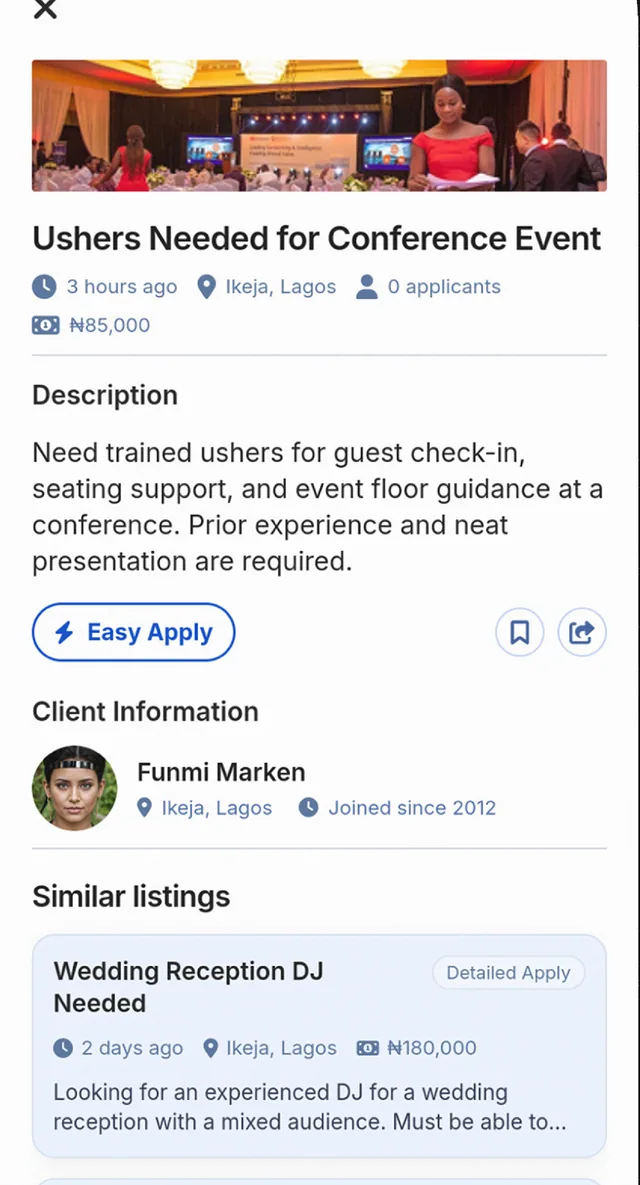
Customers post jobs in the app. You apply. For smaller or straightforward jobs the application is simpler (Easy Apply). For bigger or more complex projects you can give more information (Detailed Apply). Either way, the customer looks at your profile and portfolio before choosing.
Agree what the customer needs before you start: the date, time, place, what you will deliver and the price. Write it down. Clear details protect you as well as the customer.
When you and the customer agree, you send a payment request in the app. For a bigger project you can split it into milestones. The customer reviews the amounts, what you will deliver and the dates. They may ask for changes. When they are happy, they pay.
Once the payment is successful you are notified, and you do the agreed work. When you finish, submit the work in the app (or the milestone, on a milestone project). The customer is notified and reviews it.
The customer has seven days to approve your work or ask for changes. If the customer does not respond, SkillConnect reviews the case and may authorise release. Payment is not released automatically just because those seven days have passed. An open dispute is dealt with before release. On a milestone project, each milestone is approved on its own, and the project is complete only when all the required milestones are complete and approved.
Getting paid
Payouts are not instant, and they follow approval.
Example scenario
A makeup artist finishes a bridal job. The customer says the look was not what she wanted and refuses to pay the balance. They only spoke on the phone. With a written brief, the date, the price and the agreed look in one place, both sides have something clear to refer to.
See what customers look for: Bridal Makeup, Wedding Photography, Event Catering and Event Decoration.